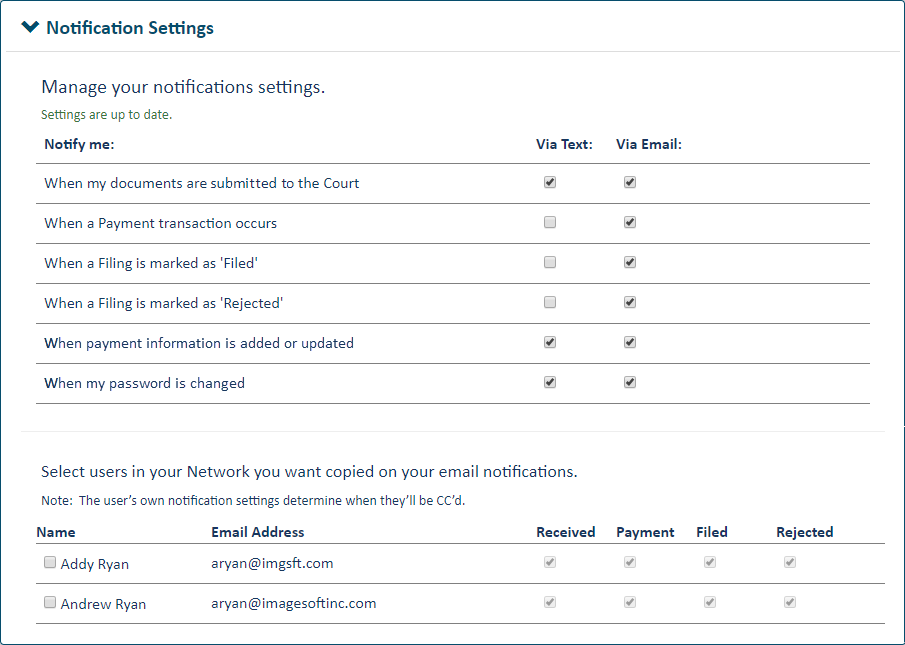
You can select one or more of your connections to be copied whenever you receive an email notification from TrueFiling or the court regarding your filings.
IMPORTANT: Each connection’s notification settings determine when they’ll be copied. For example, if a connection chooses to be notified only when a filing is marked as rejected, they will be copied only on the “Filing Rejected” emails you receive.
Click Settings under Main Pages in the navigation pane.
Expand the Notification Settings pane.
You can copy your connections only on emails that relate to your filings and their status with the court. You can’t copy connections regarding changes to your payment accounts or password.
Select the checkbox beside each connection you want copied.