Your user role is associated with your login credentials and specifies how you'll submit filings to the court. Three roles are available - Attorney, Pro Se filer, or Court Reporter. You can select one role, multiple roles, or none.
If you don't select a user role, you can file only on another's behalf. That person must:
Be a registered TrueFiling user, and
Have an assigned user role, and
Be one of your connections.
To change your role:
Click Settings under Main Pages in the navigation pane.
Expand the My Information pane.
In the Manage Roles section, select the appropriate role.
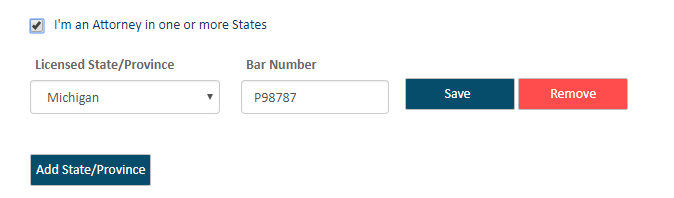
If you select I'm an Attorney in one or more States:
Select your state or province from the Licensed State/Province field drop-down list.
Input the appropriate Attorney or Bar Number (maximum of 25 characters). Be sure this number is correct based on the location you selected in Step a.
Click Save.
If you're appropriately licensed and wish to register for other states or provinces, click the Add State/Province button.
Select the location and input your Attorney or Bar Number.
Click Save.
Click the Remove button to remove an entry.
If you select I'm a Court Reporter:
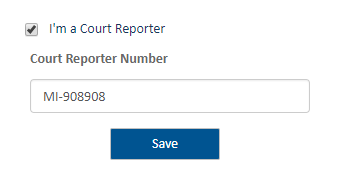
Input your Court Reporter Number.
Click Save.
If you are representing yourself, select I'm filing for myself (Pro Se).