When you upload multiple filings, you can re-order them in the Upload pane.
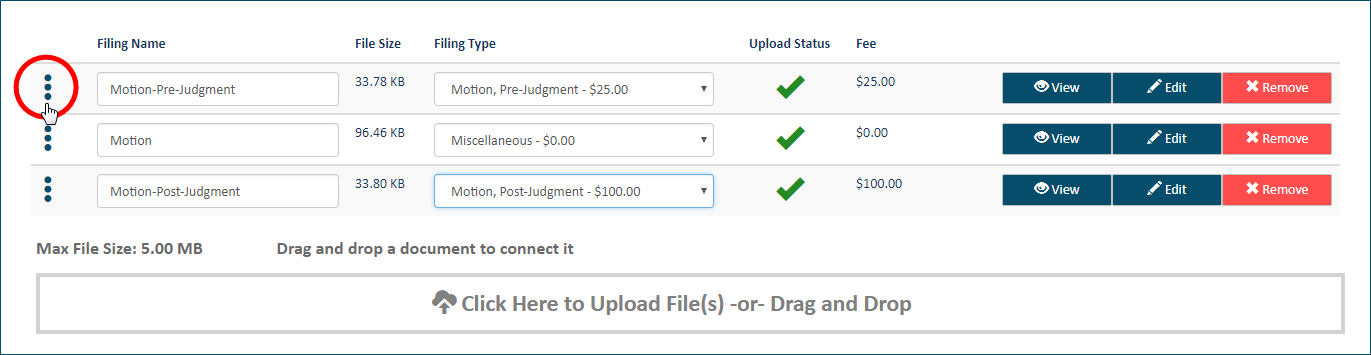
Select the handle beside the filing to re-position.
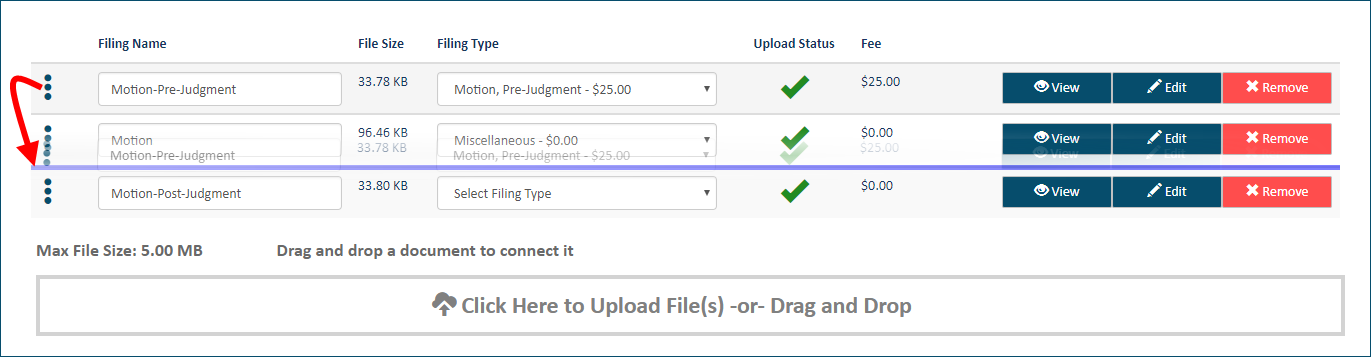
Drag the filing until a purple line displays above the desired location.
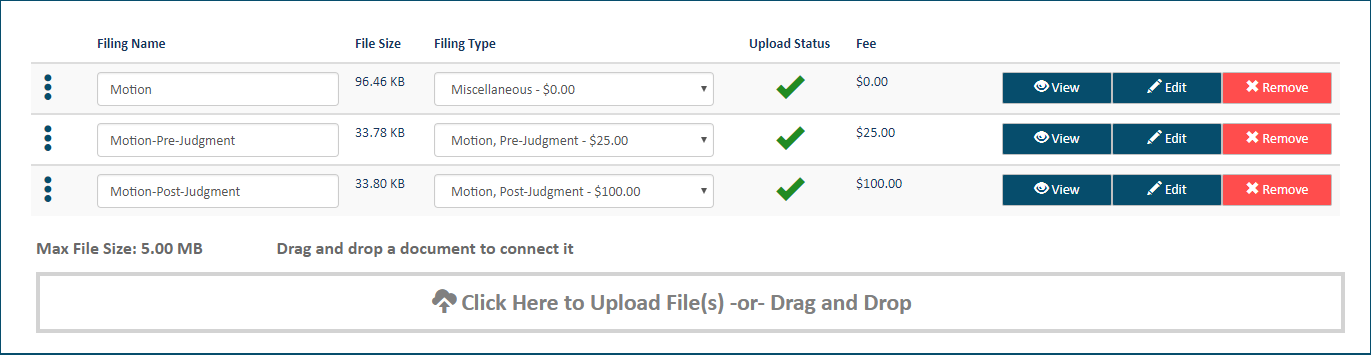
Release the handle to re-position the filing.