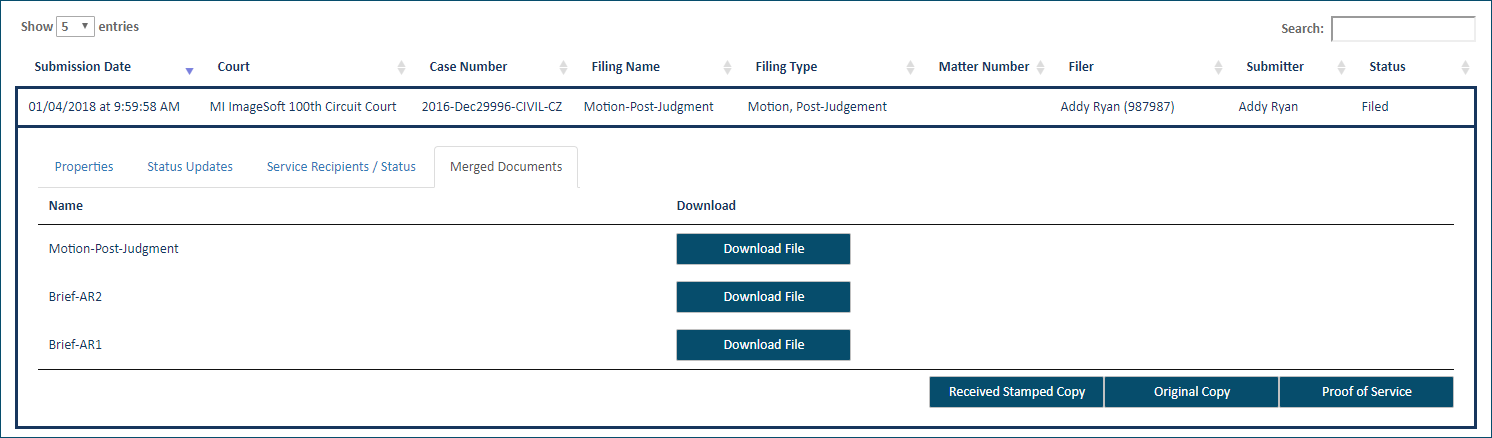
After a merged document has been submitted to the court, you can view and download the documents that comprise the merged document via the History page.
Click History under Main Pages in the navigation pane.
Specify which filings to display:
My History - filings submitted to the court by you or by a connection on your behalf
My Network's History - filings submitted by you and your connections
Locate the merged filing and click the Filing Name.
A pane with four tabs is displayed. (If the selected filing is not a merged document, only three tabs are present.)
Select the Merged Documents tab.
All documents in the merged document are listed. The primary document is listed first.
To download one of the documents, click the Download File button beside the document.
In some browsers, the document will display in a separate window. You can save and/or print the document from within this window.
See Download Documents Related to your Filing for complete details on downloading documents through the History page.