Select the Unsubmitted tab to access filing bundles you've saved but have not yet submitted to the court.
If you have no unsubmitted bundles, a message is displayed to let you know.
Click History under Main Pages in the navigation pane.
Select the Unsubmitted tab.
The court can't see and has no knowledge of these bundles. This tab lists only filing bundles you've saved; bundles your connections have saved aren't listed.
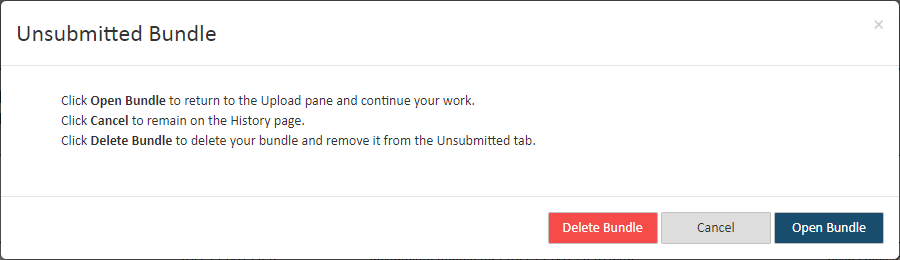
Locate and select the appropriate entry in the Bundle Information column. This dialog is displayed.
Click Cancel if you don’t want to access the bundle now. On the confirmation dialog displayed, select Leave to confirm. You'll be returned to the History page.
Click Delete Bundle if you want to delete the bundle. The bundle will no longer be accessible through the Unsubmitted tab, and you will not be able to access it.
Click Open Bundle to continue work on the bundle. You’ll be returned to the Upload pane where you can upload more filings and add service recipients to your saved bundle.
Once the filing is completed, you can save your progress again or submit it to the court.
When enabled by the court, if you selected a case initiation bundle, an edit option will be available on the Upload pane so you can modify your original case initiation form. You cannot, however, edit the case title or case type.
Also see Submitted Filings